
It was just a mere eight years ago, when Samsung was giving away free Gear VR Oculus headsets with a purchase of one of their Galaxy phones back in 2016. Samsung Galaxy marketing campaigns of VR Commercials were running rampant on television and everyone in the world thought VR was suddenly going to take off overnight with this latest exciting technology, myself included.
After purchasing a Samsung Galaxy S7, mainly for the free VR headset, I discovered that Netflix had a new VR streaming app and I installed it and quickly got excited about the concept of watching movies in VR, that resembled being at home, or even in a theater. Set in a virtual living room complete with a coffee table, couch and environmental lighting, with a TV displaying all the Netflix choices that were ready for streaming.
My initial thoughts was that they just invented the VPHT…the Virtual Personal Home Theater. Having one of these meant I could watch whatever you wanted, whenever I wanted, and however I wanted; even in the middle of the night with the audio on full blast, as long as I had some noise cancellation headphones on, I would wouldn’t bother a soul.
However, due to its limitations with the infamous “screen door” effect; (which seems like your eyes are looking against a screen door with the vertical and horizontal lines through the image) along with the constant buffering, latency and short battery life. Watching movies in VR on your phone wasn’t quite ready for prime time. Samsung phones could only take VR so far, until they decided there wasn’t a future in it for them, as they stopped supporting their app in 2020.
Meanwhile, Facebook which has always been a huge believer of VR, since it’s acquisition of Oculus in 2014. They believed the technology would change the way we would interact in our daily lives, not just with gaming, but in social media, which is why CEO Mark Zuckerberg changed the company name from Facebook to Meta just two years ago.
With the product launch of the Meta Ray Ban smart-glasses at the Meta Connect Conference, they also launched the Quest 3, a dramatically improved mixed-reality VR and AR headset compared to the Quest 2. In comparison, the Quest 3 has much better color and higher resolution, with a greater FOV. In short, the headset was a nice improvement over the Quest 2, and allowed a better experience for not just gamers, but for moviegoers and users alike.
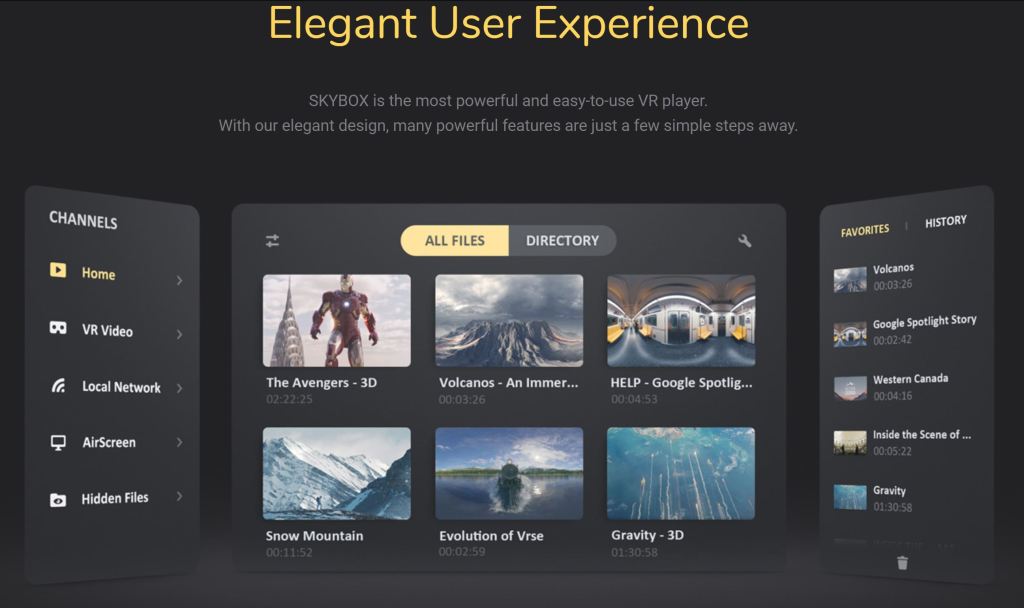
There are plenty of VR virtual theater apps out there, such as Bigscreen, which is more of a social app that was made if you wanted your friends to join in the virtual theater, but it does have some glitches. If you are an Amazon Prime member, Amazon has the Prime Video VR App, and Netflix subscribers can go to the Meta browser and sign in and watch, but Skybox is by far the best due to its powerful features and user-friendly interface, if you own your own content. It even supports 8K content, 3D and VR. It does cost $9.99, but it is well worth it if you have lots of movies in your collection on your computer or on your server.
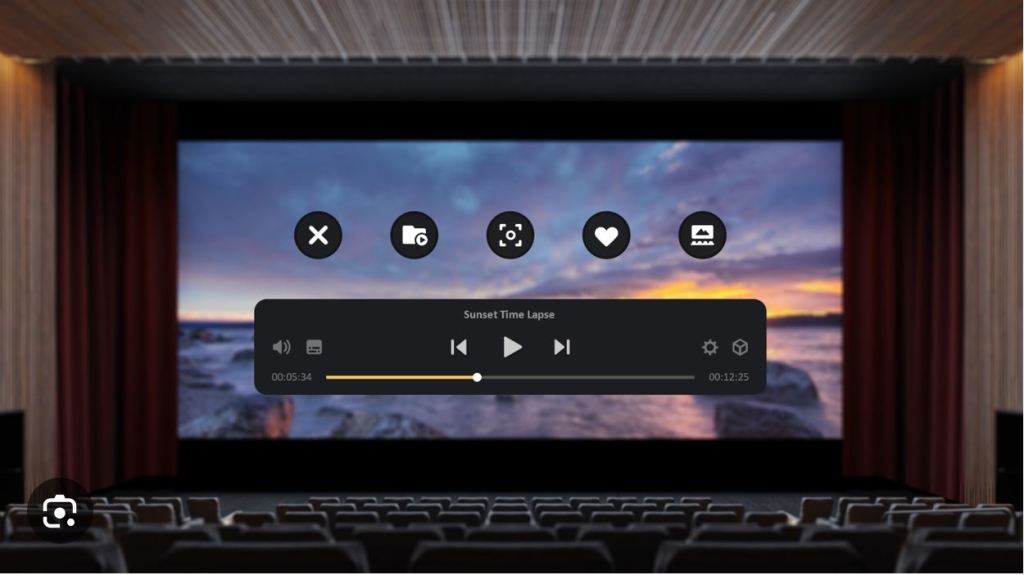
I really do feel like I’m sitting and staring in front of a state-of-the-art cinema watching a Hollywood movie. The detail is uncanny and I wouldn’t even think I’m in a virtual world environment. Not only that, but I can move up to the front section, where I normally prefer, or to the center, or even all the way to the back, where I can see all the seats right in front of me along with the foreground of the theater.
No matter if I’m in the sitting, standing or lying position, I never would need to reposition myself. All I need to do is point the Quest controllers and move the screen to where ever I would like just by using the controllers, just like how you use a computer mouse to position itself on a computer screen. Also, whether watching 2D or 3D content, I can easily expand the screen or shrink it to my liking. There is no loss in quality that I can visibly see.
Also for hardcore moviegoers who wish they could control the ambient light in the theater like I do, the Skybox app allows you to be able to do this. You can darken or lighten the theater lighting and even reduce the reflections around you.
For me, I would like to make everything around me totally dark, including turning the exit signs off since it detracts from the reality of the moviegoing experience. For those who love curved screens, you have that option too…as well as changing the seat heights. There is absolutely no need to complain to theater management ever again unless you find yourself on a virtual sticky floor with popcorn all over your seat.
Skybox also offers YouTube to watch in their Virtual theater, but you can stream movies that are on your media server or computer through DLNA, SMB, or even Plex. You can even attach a USB-C flash on your Quest containing your own movies right to your headset, as well. Watching your movies has never been more easier.
In respects to the audio portion of the app, Skybox does have some its limitations. It can only play movies in mono or stereo. It does not support multi-channel sound. Nor does it not support Dolby Vision or any spatial audio. However, the good news is no matter where you are in the virtual auditorium, it will still sound the same regardless where you are sitting, which is really a good thing.
If you want to experience being in an IMAX theater at home, Skybox even accomplished this on their latest update.
Skybox Features
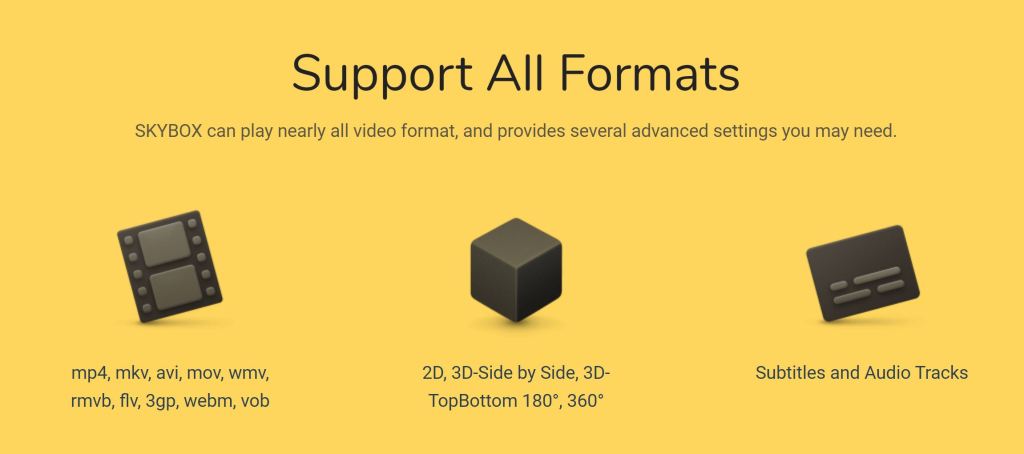
- Support all video formats, UHD, 4K, 8K videos.
- Support all video types, including 180° VR, 360° VR, 2D, and 3D.
- Support all VR platforms: Oculus, Vive, Gear VR, and Daydream.
- Supports browsing files by storage directory.
- Support subtitles and audio tracks selection.
- AirScreen: streaming local videos from PC to VR devices.
- Automatically recognizes video type (180° VR, 360° VR, 2D, or 3D).
- Private folder: hides certain videos from device’s gallery to only be viewed in SKYBOX.
- Advanced settings: tilt, scale, height, and aspect ratio.
- Amazing user interface and VR environment.
- Various VR scenes while watching regular 2D and 3D videos.
Fore more information on Skybox, here is their website.
https://www.meta.com/experiences/skybox-vr-video-player/2063931653705427/

 mlsentertainment